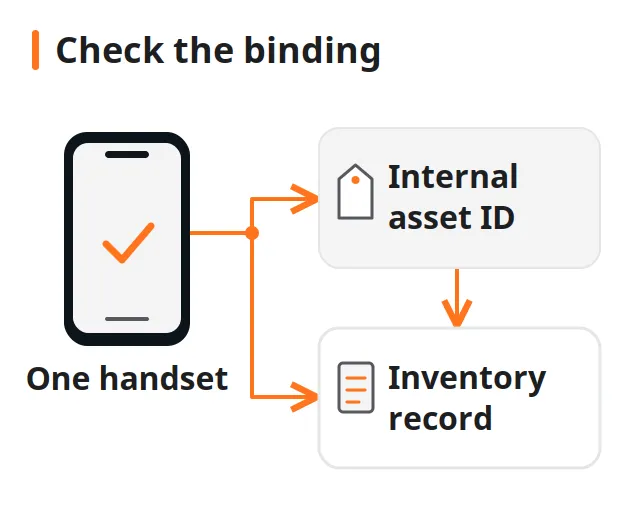
A weak bar on one used handset can fail the unit before anyone has written a comparable phone signal strength test, and a blank field is easy to file as a damaged radio. Match the SIM, the place and the network name on the screen, write what each handset shows, and then choose a retest or a hold.
A phone signal strength test here is a paired observation under conditions you control. Use one comparison handset and the suspect handset on the same SIM, in the same place, with the same network name on the screen, and write the metric name, the value and the clock time. Android’s LTE class CellSignalStrengthLte documents RSRP and RSSI as separate dBm fields, and either field can come back unavailable (Android Developers, reference last updated 2026-08-03 UTC). Unavailable means the measurement was missing. A number is a measurement under the setup you wrote down. The documented spans are reporting limits. A screened-chamber certificate, a fixed pass mark in dBm, and an antenna diagnosis sit outside this page.
What does a usable phone signal strength test include?
Four lines have to match before any two numbers belong in the same comparison: the SIM, the place, the network name shown on the phone, and the time window. Each handset then gets its own row for the metric name, the value or the word unavailable, and the menu or app that displayed it.
| Record item | What to write | Why a later reader needs it |
|---|---|---|
| SIM | The same SIM identity on both rows | A second SIM is a different subscription |
| Place | A spot you can stand in again | Moving to a window changes the observation |
| Network name | The text the phone displays | Two names mean two setups |
| Time window | Local clock in and clock out | The pair has to be close in time |
| Metric name | The label on screen, such as RSRP or RSSI | Bars, levels and dBm fields are different |
| Value | The number and unit, or unavailable | A blank field stays blank of any dBm figure |
| Source | Menu path, or app name and version | The label tells you which field you saved |
Put this cellular row beside the other functional results in the phone intake and diagnostic workflow.
Takeaway: A usable test names the shared setup and the metric. The number comes after those lines are filled.
How do RSRP, RSSI and an unavailable result differ?
On LTE, CellSignalStrengthLte keeps the fields apart. The reference below was last updated 2026-08-03 UTC.
| Field | What the reference says | What to write on the sheet |
|---|---|---|
getRsrp() |
Reference signal received power in dBm. Range: -140 dBm to -43 dBm, or unavailable | The number and “dBm”, or unavailable |
getDbm() |
Signal strength in dBm, described as the RSRP of the measured cell | Treat it as RSRP unless the tool names another field |
getRssi() |
Received signal strength indication in dBm. Range -113 to -51 inclusive, or CellInfo.UNAVAILABLE |
The number and “dBm”, or unavailable. Keep it off the RSRP line |
getRsrq() |
Reference signal received quality, or unavailable | The value as shown. The page states no numeric span for RSRQ |
getLevel() |
An abstract level for overall signal quality, from SIGNAL_STRENGTH_NONE_OR_UNKNOWN through SIGNAL_STRENGTH_GREAT |
The level name or integer the tool shows. Leave the dBm cell empty |
A value inside a documented span tells you the API returned a measurement. The span is the set of values the method can report. getRsrq() can also be unavailable, and the page we read gives it no numeric span, so copy the displayed value and leave any cutoff off the sheet.
Common mistake: Saving the bar count, or getLevel(), in the dBm column. The level is an abstract quality step. RSRP and RSSI are the dBm fields.
Takeaway: Name the field, then write the number or unavailable. The reporting spans stay in the source note, off the pass/fail line.
How do you control the observation on one handset?
Start with a comparison handset that already shows a reading on the SIM you intend to use. Stand at one marked spot. Read the comparison handset, move that same SIM into the suspect handset, and read the suspect handset at the same spot. Write the clock time when you start and when you finish. The SIM move is the control: one subscription, one place, two handsets.
Read the network name on each screen and copy it. Two different names mean the pair is unmatched, so the numbers stay in separate notes until you repeat the check.
An app is a source, not a verdict. Write the app name, the version, and the exact label on screen. The label decides whether the figure goes on the RSRP line, the RSSI line, a level line, or a line you title with the app’s own words.
An iPhone, or a phone signal strength test app, can use labels this Android page does not define. Copy the label the phone shows. When the screen has no numeric field, write unavailable. Keep the Android spans on the Android methods they describe.
Takeaway: Same SIM, same spot, same on-screen network name, and a written time window. Then the two rows are a comparison.
When should you retest, and when should you hold?
Choose the row that matches the sheet in front of you. Each next step stops at another observation or a hold. The table has no dBm cutoff and no fault name.
| What the sheet shows | What you can say | Next step |
|---|---|---|
| SIM, place or network name differ | The readings describe two setups | Retest after those three match. Leave the numbers uncompared |
| Setup matches, and the suspect metric is unavailable | The metric was not reported | Record unavailable and retest once on the same setup. If it is still unavailable, hold the unit for radio assessment and leave the antenna and baseband unnamed |
| Setup matches, and both handsets show a number for the same metric name | You have two observations under one setup | Record both numbers and units. A lower number on the suspect handset is a difference under that setup. Hold only when your written receiving terms call for a hold |
| No comparison handset | You have one observation | Record the single reading and schedule a retest with a second handset on the same SIM |
Takeaway: Pick one row, write its next step, and leave the hardware unnamed.
What belongs on the comparison record?
Use one pair of rows per check, filled from the phones. Blank lines below are the sheet. They are empty on purpose.
| Field | What to enter |
|---|---|
| Device identifier | IMEI or serial scanned from that handset |
| Role | Comparison, or suspect |
| SIM identity | The same SIM note on both rows |
| Place | The bench mark or room spot |
| Network name displayed | Exact text from that phone |
| Time in and time out | Local clock |
| Metric name | Label as shown |
| Value | Number and unit, or unavailable |
| Source | Menu path, or app name and version |
| Other handset | Identifier of the phone in the pair |
| Decision row | The matching row from the table above |
| Disposition | Retest, or hold, with a short reason |
| Written terms | Your receiving rule, or “none written” |
Attach the sheet to the scanned identifier with the barcode and asset-tagging workflow before the phones are separated.
Takeaway: A finished pair shows the shared setup, the metric name, and whether each value was a number or unavailable.
When this does not apply
This page covers one controlled observation and the record that goes with it.
- Screened-chamber certificates and fixed pass marks in dBm are a different job. The Android spans above are reporting limits from the 2026-08-03 reference.
- Antenna and baseband diagnosis belongs with a specialist. The decision table ends at retest or hold.
- Band support, market compatibility and carrier unlock are separate questions. This page compares reception under one written setup.
- Wi-Fi and Bluetooth stay on their own lines in the intake diagnostic list.
Takeaway: Use the sheet for a matched cellular observation, and hand the unit on when the question is a certificate, a repair or a band.
Related reading
- Phone intake and diagnostic workflow: place the cellular row with the other radio results.
- Barcode scanning and asset tagging: keep the sheet on the handset it describes.
Method and sources
This guide uses the Android Developers reference for CellSignalStrengthLte, read on October 12, 2026. That page states it was last updated 2026-08-03 UTC. The comparison record and the retest or hold table are editorial. The guide reports no handset tests, no carrier drive-test figures and no lab results. Ranking pages about coverage maps and signal boosters were read only as a gap check. They are not the source of the field names or the reporting spans.
The editorial policy explains how guides separate source facts from suggestions, the fact-checking policy covers corrections, and the AI-use policy describes assistance disclosures.
Last substantive update: October 12, 2026.
Sources
- CellSignalStrengthLte API reference — Android Developers Accessed October 12, 2026.