Direct answer
Wireless Android Auto on a car display requires a compatible Android phone with an active data plan and 5 GHz Wi-Fi support. Android Auto isn't available on devices that run Android (Go edition). Android USB accessories adhering to AOA must provide 500mA at 5V for charging power.
Key takeaways
- Wireless projection for Android Auto is compatible with any phone with Android 11.0.
- AAWireless uses Bluetooth only to pass Wi-Fi credentials to the phone, and once credentials are exchanged, the connection switches entirely to Wi-Fi, indicated by a solid blue light.
- During the initial connection, the accessory should check the version, vendor ID, and product ID of the connected device's USB device descriptor, where the vendor ID should match Google's ID (0x18D1).
Wireless Android Auto on a car display requires a compatible Android phone with an active data plan and 5 GHz Wi-Fi support. Wireless projection for Android Auto is compatible with any phone with Android 11.0. Android Auto isn’t available on devices that run Android (Go edition). When an Android-powered device is in accessory mode, the connected accessory acts as the USB host (powers the bus and enumerates devices) and the Android-powered device acts as the USB accessory.
Check the handset manifest, the wireless adapter specifications, and the vehicle USB port role before bundling a wireless Android Auto adapter at a retail phone counter. Keep these compatibility records alongside the wholesale phones category guides and the counter accessory SKU selection guide.
| Check item | Published specification | Verification scope |
|---|---|---|
| Phone integration | Android Auto is integrated into phones and does not need to be downloaded. | Baseline phone software check |
| Operating system exclusion | Android Auto isn’t available on devices that run Android (Go edition). | Wholesale handset manifest screening |
| Wired car display baseline | Android Auto on a car display with a USB cable requires an Android phone with Android 11.0 (Red Velvet Cake) or higher and an active data plan. | Wired USB cable baseline |
| Wireless car display baseline | Wireless Android Auto on a car display requires a compatible Android phone with an active data plan and 5 GHz Wi-Fi support. | Wireless car display projection |
| Wireless OS baseline | Wireless projection for Android Auto is compatible with any phone with Android 11.0. | Handset OS version check |
| Regional in-car radio rule | In the EU, using 5 GHz Wi-Fi in the car requires a smartphone to comply with additional regulatory requirements, and on Google smartphones, Pixel 3 and newer models comply. | European Union export lot check |
| USB host role assignment | When an Android-powered device is in accessory mode, the connected accessory acts as the USB host (powers the bus and enumerates devices) and the Android-powered device acts as the USB accessory. | Vehicle head-unit USB port role |
| USB host charging supply | Android USB accessories adhering to AOA must provide 500mA at 5V for charging power. | Head-unit VBUS power check |
How do you screen a handset lot for wireless Android Auto adapter compatibility?
Verify the operating system edition and the published wireless frequency band for every handset model on a wholesale manifest before pairing it with a car adapter. Use the wholesale phone lot reading guide and the regional model-code and band verification guide when checking model suffixes across mixed lots.
Android Auto is integrated into phones and does not need to be downloaded. Android Auto isn’t available on devices that run Android (Go edition). Android Auto on a car display with a USB cable requires an Android phone with Android 11.0 (Red Velvet Cake) or higher and an active data plan. Wireless Android Auto on a car display requires a compatible Android phone with an active data plan and 5 GHz Wi-Fi support. Wireless projection for Android Auto is compatible with any phone with Android 11.0. In the EU, using 5 GHz Wi-Fi in the car requires a smartphone to comply with additional regulatory requirements, and on Google smartphones, Pixel 3 and newer models comply.
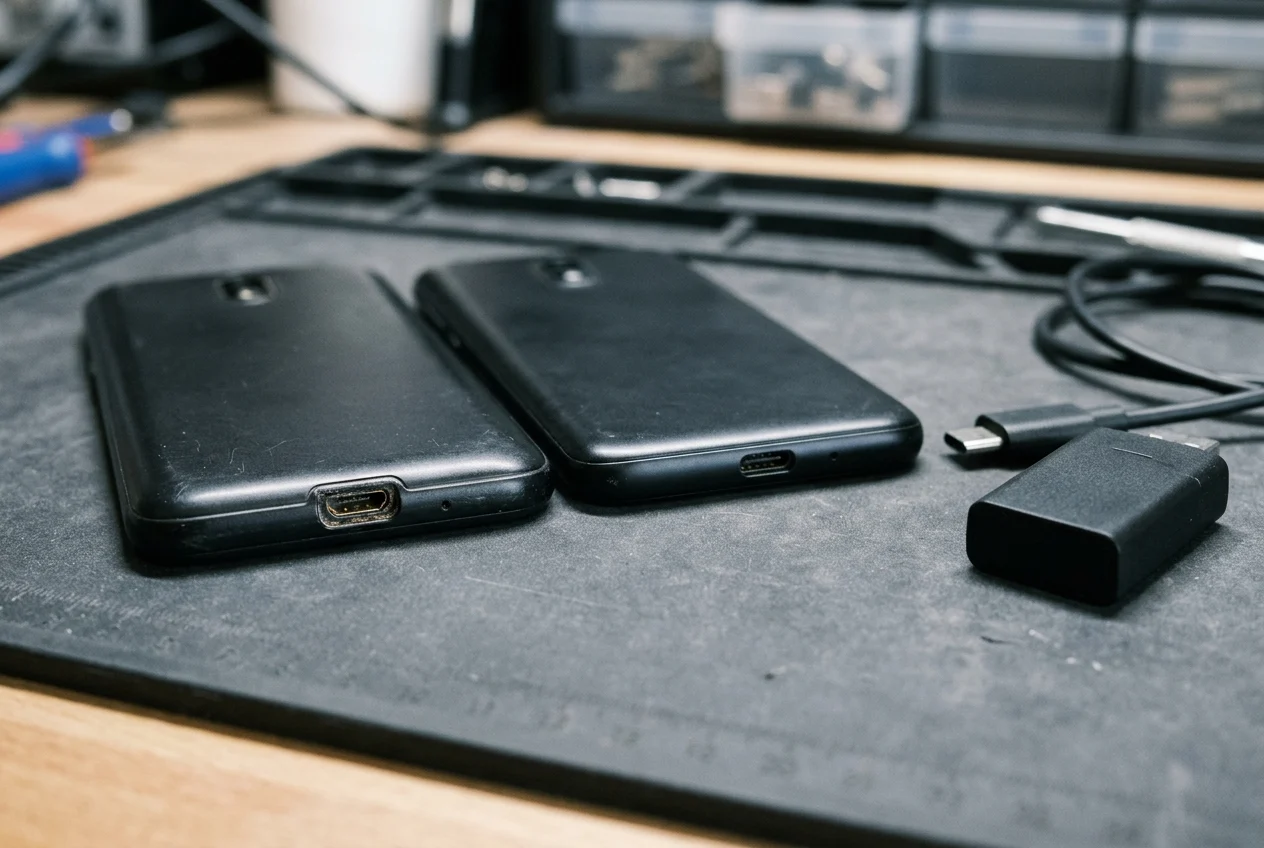
A handset specification sheet that lists peer-to-peer wireless support does not by itself confirm dual-band radio hardware. The Samsung Galaxy A03 Core (Global) product page identifies the model SKU as SM-A032FCKDMEA. The Galaxy A03 Core connectivity specifications list a Micro USB interface and USB 2.0 version. The Galaxy A03 Core connectivity specifications list Wi-Fi 802.11 b/g/n 2.4GHz. The Galaxy A03 Core connectivity specifications list Wi-Fi Direct Yes and Bluetooth v4.2.
Compare that single-band entry-level specification against a dual-band handset on the manifest. The Samsung Galaxy A15 5G product page identifies the model SKU as SM-A156WZKAXAC. The Galaxy A15 connectivity specifications list a USB Type-C interface and USB 2.0 version. The Galaxy A15 connectivity specifications list Wi-Fi 802.11a/b/g/n/ac 2.4GHz+5GHz, VHT80. The Galaxy A15 connectivity specifications list Wi-Fi Direct Yes. The Galaxy A15 connectivity specifications list Bluetooth v5.3.
| Handset verification field | Published specification | Manifest screening purpose |
|---|---|---|
| Entry-level model SKU | The Samsung Galaxy A03 Core (Global) product page identifies the model SKU as SM-A032FCKDMEA. | Record exact regional model code |
| Entry-level USB interface | The Galaxy A03 Core connectivity specifications list a Micro USB interface and USB 2.0 version. | Check physical connector and USB revision |
| Entry-level Wi-Fi band | The Galaxy A03 Core connectivity specifications list Wi-Fi 802.11 b/g/n 2.4GHz. | Identify single-band radio limitation |
| Entry-level Wi-Fi Direct and Bluetooth | The Galaxy A03 Core connectivity specifications list Wi-Fi Direct Yes and Bluetooth v4.2. | Note that Wi-Fi Direct Yes appears on a single-band unit |
| Dual-band model SKU | The Samsung Galaxy A15 5G product page identifies the model SKU as SM-A156WZKAXAC. | Record exact regional model code |
| Dual-band USB interface | The Galaxy A15 connectivity specifications list a USB Type-C interface and USB 2.0 version. | Check physical connector and USB revision |
| Dual-band Wi-Fi band | The Galaxy A15 connectivity specifications list Wi-Fi 802.11a/b/g/n/ac 2.4GHz+5GHz, VHT80. | Confirm dual-band wireless radio support |
| Dual-band Wi-Fi Direct | The Galaxy A15 connectivity specifications list Wi-Fi Direct Yes. | Confirm peer-to-peer wireless support |
| Dual-band Bluetooth | The Galaxy A15 connectivity specifications list Bluetooth v5.3. | Record handset Bluetooth revision |
How does a wireless Android Auto adapter hand off from Bluetooth to 5 GHz Wi-Fi Direct?
Separate the initial Bluetooth pairing step from the peer-to-peer wireless projection session when diagnosing counter returns.
The Wi-Fi Direct feature, also known as Wi-Fi P2P, allows supporting devices to discover and connect to one another directly using the Wi-Fi Direct protocol without internet or mobile network access. In Android, the Wi-Fi Direct interface address (group address) must be randomized every time a connection is established. Wi-Fi Direct supports WPA2 encryption, whereas Android does not support Wi-Fi ad-hoc mode.
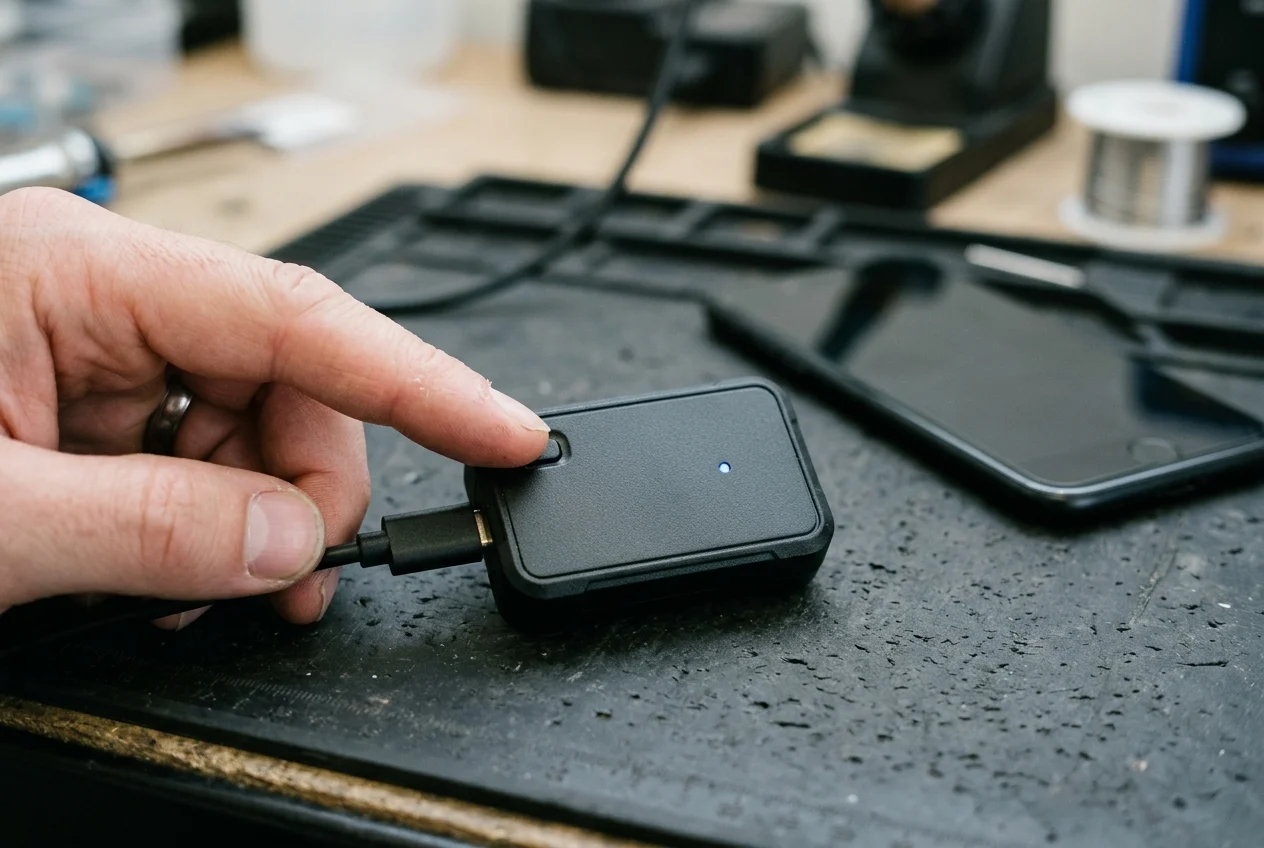
On the AAWireless adapter line, Bluetooth handles only the initial credential exchange before the high-bandwidth link takes over. AAWireless uses Bluetooth only to pass Wi-Fi credentials to the phone, and once credentials are exchanged, the connection switches entirely to Wi-Fi, indicated by a solid blue light. To reduce Wi-Fi interference on AAWireless, the support guide instructs changing the Wi-Fi channel and testing channels 36 and 149 to see which provides the best performance.
On the Motorola MA1 adapter, the status indicator tracks the progression from power-up through Bluetooth pairing to projection. The Motorola MA1 LED indicates White for adapter powering on, Blue for Bluetooth pairing mode, and Green for connecting Android Auto. To erase Motorola MA1 adapter memory for a factory reset, hold the button down for 35 seconds and release when it blinks green quickly; after 3 seconds it turns to white and completes the factory reset.
How do named wireless Android Auto adapters compare on published specifications?
Record the manufacturer’s published wireless and connector specifications for each adapter SKU stocked at the counter rather than assuming identical port types or platform coverage across dongles.
The Motorola MA1 User Guide identifies Model MA1 with FCC ID 2ARRB-02736 and IC 20353-02736. The Motorola MA1 User Guide technical specifications list Wireless as Wi-Fi 802.11 a/n and Bluetooth 5.0, and Connection as USB A type Client. The Motorola MA1 product page lists WiFi: 5 GHz. The Motorola MA1 product page lists Bluetooth v5.0. The Motorola MA1 product page lists a product weight of 31g. The Motorola MA1 product page lists a retail price of $ 69.99. The Motorola MA1 product page lists EAN 5055374714997 and UPC 810036773140. Most vehicle makes and models that shipped from the factory with USB-only Android Auto support work with the MA1 adapter, while known incompatible brands include Mitsubishi Motors.
Compare those specifications with the AAWireless product line. The AAWireless TWO only supports Android Auto, not Apple CarPlay. The AAWireless TWO+ turns wired Apple CarPlay into wireless CarPlay (requiring an iPhone X or newer) and also makes wired Android Auto wireless. AAWireless TWO requires Android 11 or higher for wireless Android Auto. AAWireless TWO specifications list dimensions of 5.5 × 3.5 × 1.5 cm. AAWireless TWO specifications list a weight of 18 g and a USB-C port. Cars with built-in wireless Android Auto or CarPlay are not compatible with the AAWireless dongle.
| Adapter specification field | Published manufacturer value | Counter verification note |
|---|---|---|
| Motorola MA1 regulatory IDs | The Motorola MA1 User Guide identifies Model MA1 with FCC ID 2ARRB-02736 and IC 20353-02736. | Match label identifiers on received stock |
| Motorola MA1 wireless and USB client | The Motorola MA1 User Guide technical specifications list Wireless as Wi-Fi 802.11 a/n and Bluetooth 5.0, and Connection as USB A type Client. | Verify head-unit port accepts a USB-A plug |
| Motorola MA1 Wi-Fi band | The Motorola MA1 product page lists WiFi: 5 GHz. | Confirm handset supports 5 GHz band |
| Motorola MA1 Bluetooth revision | The Motorola MA1 product page lists Bluetooth v5.0. | Initial credential pairing radio |
| Motorola MA1 unit weight | The Motorola MA1 product page lists a product weight of 31g. | Published unit mass without packaging |
| Motorola MA1 retail price | The Motorola MA1 product page lists a retail price of $ 69.99. | Manufacturer product page reference |
| Motorola MA1 package barcodes | The Motorola MA1 product page lists EAN 5055374714997 and UPC 810036773140. | Verify retail carton barcode numbers |
| Motorola MA1 vehicle compatibility | Most vehicle makes and models that shipped from the factory with USB-only Android Auto support work with the MA1 adapter, while known incompatible brands include Mitsubishi Motors. | Check customer vehicle brand before sale |
| AAWireless TWO platform support | The AAWireless TWO only supports Android Auto, not Apple CarPlay. | Restrict to Android handset buyers |
| AAWireless TWO+ platform support | The AAWireless TWO+ turns wired Apple CarPlay into wireless CarPlay (requiring an iPhone X or newer) and also makes wired Android Auto wireless. | Option for mixed Android and iPhone drivers |
| AAWireless TWO OS requirement | AAWireless TWO requires Android 11 or higher for wireless Android Auto. | Check phone software version before bundling |
| AAWireless TWO dimensions | AAWireless TWO specifications list dimensions of 5.5 × 3.5 × 1.5 cm. | Check console cubby clearance |
| AAWireless TWO weight and port | AAWireless TWO specifications list a weight of 18 g and a USB-C port. | USB-C port; includes USB-C to USB-A cable |
| AAWireless head-unit boundary | Cars with built-in wireless Android Auto or CarPlay are not compatible with the AAWireless dongle. | Exclude vehicles with factory wireless projection |
What happens during head-unit USB host power and AOA enumeration?
A wireless Android Auto adapter plugs into the vehicle’s Android Auto-enabled USB port. Keep hardware port checks aligned with the wholesale phone intake and diagnostic workflow.
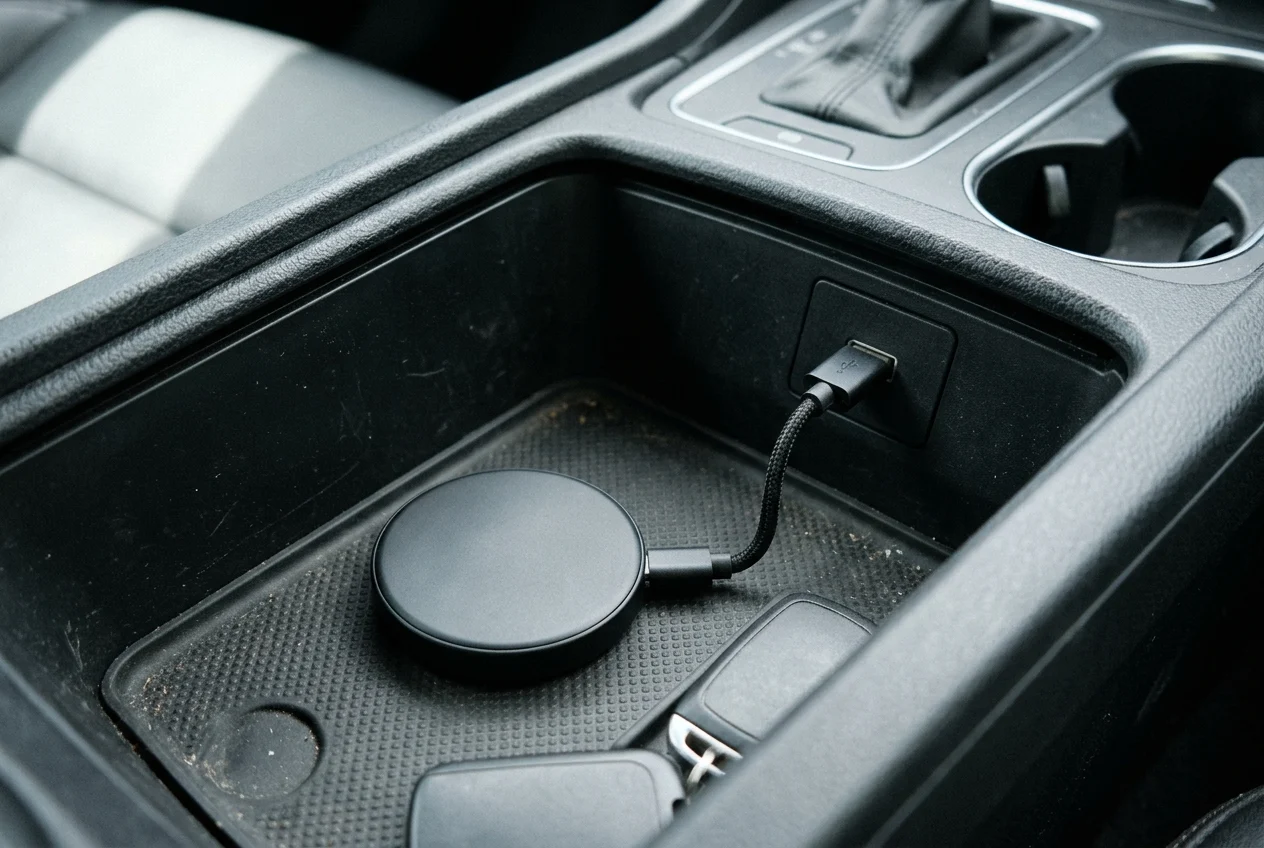
Automotive USB cabin ports and VBUS power thresholds
Vehicle cabin ports vary in both power delivery capacity and data wiring. In automotive USB-C implementations, not all ports located throughout the cabin of the automobile have to operate in the same way; some offer higher charge capability or data transfer. A single USB Type-C connector can support up to 240W (48V and 5A) of power with the USB Power Delivery (USB PD) R3.1 specification. USB Std-A connectors support 7.5W (5V and 1.5A) of power.
Android USB accessories adhering to AOA must provide 500mA at 5V for charging power. In standard USB 2.0 implementations, the host sources 5V on VBUS with a current capability typically of 500mA for high-speed USB 2.0. In comparator-based USB VBUS detection, an internal comparator monitors VBUS and sets a status flag indicating a valid host connection once the voltage rises above a threshold such as the 4.4V minimum defined by the specification. After VBUS rises above 4.4V, a USB device must wait at least 100ms before drawing more than 100mA. A USB host applies a debounce period of at least 100ms before interpreting a D+ or D- pull-up as a valid connection. In the traditional USB initialization sequence, after VBUS detection (5V supplied and VBUSVALID asserted), the host senses the pull-up and begins reset signaling, and the device responds to reset, negotiates speed, and begins enumeration with descriptor exchange.
Android Open Accessory descriptor handshake and re-enumeration
When an Android-powered device is in accessory mode, the connected accessory acts as the USB host (powers the bus and enumerates devices) and the Android-powered device acts as the USB accessory. Accessory mode is dependent on device hardware; not all devices support accessory mode. AOAv2 supports human interface device (HID) capabilities and is available in Android 4.1 (API Level 16) and higher.
The protocol handshake follows a specific descriptor and control-request sequence:
- Devices that support accessory mode (but are not in accessory mode) initially report the device manufacturer vendor and product IDs instead of the AOA vendor and product IDs.
- To determine if a device supports the Android accessory protocol, the accessory sends a 51 control request (Get Protocol) on endpoint 0, which returns a non-zero number representing the supported protocol version.
- Control request 52 sends zero-terminated UTF8 string information from the accessory to the device, with a maximum size of 256 bytes for each string.
- Control request 53 on endpoint 0 asks the device to start in accessory mode.
- After completing these steps, the accessory should wait for the connected USB device to re-introduce itself on the bus in accessory mode, then re-enumerate connected devices.
- During the initial connection, the accessory should check the version, vendor ID, and product ID of the connected device’s USB device descriptor, where the vendor ID should match Google’s ID (0x18D1).
- Product ID 0x2D00 is reserved for Android-powered devices that support accessory mode.
- Product ID 0x2D01 is reserved for devices that support accessory mode as well as the Android Debug Bridge (ADB) protocol, exposing a second interface with two bulk endpoints for ADB.
- Product IDs 0x2D00 and 0x2D01 from AOAv1 continue to be supported in AOAv2 alongside new product IDs 0x2D02, 0x2D03, 0x2D04, and 0x2D05.
- AOAv2 audio support has been deprecated in Android 8.0.
- To use an AOA interface, the accessory locates the first bulk input and output endpoints and sets the device configuration to a value of 1 with a SET_CONFIGURATION (0x09) device request.
- AOA does not currently support simultaneous AOA and MTP connections; switching from AOA to MTP requires disconnecting the USB device first and reconnecting using MTP.
| USB and AOA stage | Published protocol requirement | Diagnostic check |
|---|---|---|
| VBUS comparator threshold | In comparator-based USB VBUS detection, an internal comparator monitors VBUS and sets a status flag indicating a valid host connection once the voltage rises above a threshold such as the 4.4V minimum defined by the specification. | Check for voltage drop across extension cables or unpowered hubs |
| Device inrush delay | After VBUS rises above 4.4V, a USB device must wait at least 100ms before drawing more than 100mA. | Verify stable startup power before high-current draw |
| Host pull-up debounce | A USB host applies a debounce period of at least 100ms before interpreting a D+ or D- pull-up as a valid connection. | Inspect loose USB receptacles that interrupt D+ or D- contact |
| Protocol version query | To determine if a device supports the Android accessory protocol, the accessory sends a 51 control request (Get Protocol) on endpoint 0, which returns a non-zero number representing the supported protocol version. | Confirm head unit initiates AOA protocol query |
| Credential string transfer | Control request 52 sends zero-terminated UTF8 string information from the accessory to the device, with a maximum size of 256 bytes for each string. | Accessory identification string exchange |
| Accessory mode start | Control request 53 on endpoint 0 asks the device to start in accessory mode. | Triggers bus re-introduction |
| Vendor ID verification | During the initial connection, the accessory should check the version, vendor ID, and product ID of the connected device’s USB device descriptor, where the vendor ID should match Google’s ID (0x18D1). | Confirm re-enumeration under Google vendor ID |
| Accessory product IDs | Product IDs 0x2D00 and 0x2D01 from AOAv1 continue to be supported in AOAv2 alongside new product IDs 0x2D02, 0x2D03, 0x2D04, and 0x2D05. | Verify accessory mode product ID assignment |
| Endpoint configuration | To use an AOA interface, the accessory locates the first bulk input and output endpoints and sets the device configuration to a value of 1 with a SET_CONFIGURATION (0x09) device request. | Establishes bulk data transport |
Copy a counter compatibility and return-isolation checklist
Use this record at the retail counter or wholesale intake bench to log handset eligibility, adapter selection, and vehicle port checks before approving a bundle or processing a customer return. Browse the wholesale phone guides for additional lot verification checklists.
| Verification stage | Field to record on the counter sheet |
|---|---|
| Handset SKU and OS check | Record the printed handset model SKU and confirm the operating system is not Android (Go edition) |
| Handset wireless band | Verify the manufacturer connectivity sheet lists dual-band support rather than a single-band radio |
| Adapter model and connector | Record the adapter model, physical USB plug type, and target platform support |
| Vehicle head-unit port | Confirm the vehicle port supports wired Android Auto data transfer rather than cabin charging only |
| Return symptom isolation | Log the observed LED color, reset response, and wireless channel setting before replacing the unit |
Sources
- Google Android Auto Help — Get started with Android Auto
- Android Open Source Project — Android Open Accessory Overview and Protocol Documentation
- Android Open Source Project — Wi-Fi Direct
- Android Developers — Wi-Fi Direct (peer-to-peer) overview
- Motorola Sound — MA1 Wireless Car Adapter for Android Auto Product Page and User Guide
- AAWireless Support — Product Info FAQ and AAWireless TWO Official Product Page
- Texas Instruments — Automotive USB Type-C Power and VBUS Enumeration Technical Documentation
- Samsung — Galaxy A03 Core and Galaxy A15 5G Official Specifications
Frequently asked questions
Does an Android phone need a separate Android Auto app download for wireless projection?
Android Auto is integrated into phones and does not need to be downloaded. Android Auto isn't available on devices that run Android (Go edition).
Does a Wi-Fi Direct label on a handset spec sheet prove 5 GHz wireless Android Auto compatibility?
Wireless Android Auto on a car display requires a compatible Android phone with an active data plan and 5 GHz Wi-Fi support. The Galaxy A03 Core connectivity specifications list Wi-Fi Direct Yes and Bluetooth v4.2. The Galaxy A03 Core connectivity specifications list Wi-Fi 802.11 b/g/n 2.4GHz.
Can a wireless Android Auto adapter run on a car that already has factory wireless Android Auto?
Most vehicle makes and models that shipped from the factory with USB-only Android Auto support work with the MA1 adapter, while known incompatible brands include Mitsubishi Motors. Cars with built-in wireless Android Auto or CarPlay are not compatible with the AAWireless dongle.
Can Android Open Accessory mode and MTP file transfer run at the same time over USB?
AOA does not currently support simultaneous AOA and MTP connections; switching from AOA to MTP requires disconnecting the USB device first and reconnecting using MTP.