Direct answer
Google Factory Reset Protection (FRP) is included on Android devices running Android 5.1 (Lollipop) and later and may require account verification after a factory reset before the device can be used again when a Google account has been registered. In Kondor Phone's wholesale intake workflow, operators confirm account locks on the device by recording Activation Lock or Factory Reset Protection as unlocked, locked, or pending along with the device setup observation and checker/date.
Key takeaways
- To turn off device protection on an Android device, the user must remove their Google Account from the device.
- An Android factory reset can take up to an hour, requires charging the phone to at least 70%, and requires connecting to Wi-Fi or a mobile network so the user can sign in to their Google Account when the reset completes.
- If a user recently reset their Google Account password, Google advises waiting 24 hours before performing a factory reset.
- In AOSP PersistentDataBlockManager, the FRP secret stored for future FRP deactivation must be 32 bytes in length, and setting the all-zeros default value disables the FRP feature entirely.
- To align with Google's updated policies, Samsung Knox Mobile Enrollment (release 25.11) does not support bypass of Factory Reset Protection (FRP) on devices running Android 15 or later.
On a protected Android device that is reset to factory settings without permission, only someone with the user’s Google Account or screen lock can use it. Google Factory Reset Protection (FRP) is included on Android devices running Android 5.1 (Lollipop) and later and may require account verification after a factory reset before the device can be used again when a Google account has been registered. An Android factory reset can take up to an hour, requires charging the phone to at least 70%, and requires connecting to Wi-Fi or a mobile network so the user can sign in to their Google Account when the reset completes. After a factory reset on a protected Android device, a user can sign in with any Google Account previously added and synced to the device as an account or user (not as a guest), and if they cannot give this information during setup, they will not be able to use the device at all.
Confirming whether an Android handset still carries an active FRP lock is a mandatory gate in the wholesale phone intake and diagnostic workflow before any unit reaches the cosmetic grading bench. Keep the on-device account-lock observation separate from used-phone cosmetic grade descriptions, IMEI blacklist and carrier installment screening, and Samsung Knox Guard and CSC checks.
| Intake verification parameter | Published platform or workflow specification | Receiving bench scope |
|---|---|---|
| Android FRP version baseline | Google Factory Reset Protection (FRP) is included on Android devices running Android 5.1 (Lollipop) and later and may require account verification after a factory reset before the device can be used again when a Google account has been registered. | Minimum OS scope for FRP screening |
| Persistent partition interface | In AOSP, PersistentDataBlockManager (registered as Context.PERSISTENT_DATA_BLOCK_SERVICE and flagged with FLAG_FRP_ENFORCEMENT) is the interface to the persistent data partition that provides access to information about the state of factory reset protection. | Persistent data partition / FRP state |
| Active FRP reboot condition | In AOSP PersistentDataBlockManager, isFactoryResetProtectionActive() returns true if FactoryResetProtection (FRP) is active, meaning the device rebooted and has not been able to deactivate FRP because the deactivation secrets were wiped by an untrusted factory reset. | Untrusted reset trigger mechanism |
| Deactivation secret length | In AOSP PersistentDataBlockManager, the FRP secret stored for future FRP deactivation must be 32 bytes in length, and setting the all-zeros default value disables the FRP feature entirely. | Persistent secret storage rule |
| Reset power and network rule | An Android factory reset can take up to an hour, requires charging the phone to at least 70%, and requires connecting to Wi-Fi or a mobile network so the user can sign in to their Google Account when the reset completes. | Bench power and Wi-Fi requirement |
| Password reset cooldown | If a user recently reset their Google Account password, Google advises waiting 24 hours before performing a factory reset. | Pre-reset credential cooldown |
| Work-profile Settings reset | Normally factory reset protection does not kick in if the device is factory reset via Settings, but when a profile owner of an organization-owned device sets a factory reset protection policy locking the device to specific accounts, the policy takes effect even if factory reset is performed from Settings. | Enterprise work-profile exception |
| Per-IMEI intake disposition | In Kondor Phone’s wholesale intake workflow, operators confirm account locks on the device by recording Activation Lock or Factory Reset Protection as unlocked, locked, or pending along with the device setup observation and checker/date. | Receiving log status field |
How does Android store the FRP lock state across a factory reset?
Understand how Android separates the persistent protection partition from user data before evaluating wiped handsets on the receiving bench.
Device protection activation and AOSP PersistentDataBlockManager
Google Factory Reset Protection (FRP) is included on Android devices running Android 5.1 (Lollipop) and later and may require account verification after a factory reset before the device can be used again when a Google account has been registered. On a protected Android device that is reset to factory settings without permission, only someone with the user’s Google Account or screen lock can use it. Some of Google’s documented Android device protection steps work only on Android 8.1 and up.
To set up Android device protection and help prevent others from using or erasing the device, a user adds a Google Account and sets a screen lock. If an Android device does not have a screen lock set, the user might be able to lock the device remotely with Find Hub.
In AOSP, PersistentDataBlockManager (registered as Context.PERSISTENT_DATA_BLOCK_SERVICE and flagged with FLAG_FRP_ENFORCEMENT) is the interface to the persistent data partition that provides access to information about the state of factory reset protection. In AOSP PersistentDataBlockManager, data written to the persistent partition persists across factory resets, and calling wipe() blocks any further write() until reboot; those write() calls return -1. In AOSP PersistentDataBlockManager, the FRP secret stored for future FRP deactivation must be 32 bytes in length, and setting the all-zeros default value disables the FRP feature entirely.
In AOSP PersistentDataBlockManager, isFactoryResetProtectionActive() returns true if FactoryResetProtection (FRP) is active, meaning the device rebooted and has not been able to deactivate FRP because the deactivation secrets were wiped by an untrusted factory reset. In AOSP PersistentDataBlockManager, the bootloader lock state constants are defined as FLASH_LOCK_UNKNOWN = -1, FLASH_LOCK_UNLOCKED = 0, and FLASH_LOCK_LOCKED = 1. Under Android Compatibility Definition Document requirement [C-0-1], device implementations must correctly report through the System API method PersistentDataBlockManager.getFlashLockState() whether their bootloader state permits flashing of the system image, with FLASH_LOCK_UNKNOWN reserved for devices upgrading from an earlier version of Android.
| Persistent partition component | Published AOSP or Google specification | Intake engineering implication |
|---|---|---|
| Persistent service class | In AOSP, PersistentDataBlockManager (registered as Context.PERSISTENT_DATA_BLOCK_SERVICE and flagged with FLAG_FRP_ENFORCEMENT) is the interface to the persistent data partition that provides access to information about the state of factory reset protection. | Persistent data partition for FRP state |
| Cross-reset persistence | In AOSP PersistentDataBlockManager, data written to the persistent partition persists across factory resets, and calling wipe() blocks any further write() until reboot; those write() calls return -1. | Persists across factory resets |
| Deactivation secret format | In AOSP PersistentDataBlockManager, the FRP secret stored for future FRP deactivation must be 32 bytes in length, and setting the all-zeros default value disables the FRP feature entirely. | Stores deactivation secret or all-zeros state |
| Active lock state check | In AOSP PersistentDataBlockManager, isFactoryResetProtectionActive() returns true if FactoryResetProtection (FRP) is active, meaning the device rebooted and has not been able to deactivate FRP because the deactivation secrets were wiped by an untrusted factory reset. | Flags untrusted factory reset |
| Bootloader flash lock constants | In AOSP PersistentDataBlockManager, the bootloader lock state constants are defined as FLASH_LOCK_UNKNOWN = -1, FLASH_LOCK_UNLOCKED = 0, and FLASH_LOCK_LOCKED = 1. | Tracks bootloader flash lock state |
| CDD reporting requirement | Under Android Compatibility Definition Document requirement [C-0-1], device implementations must correctly report through the System API method PersistentDataBlockManager.getFlashLockState() whether their bootloader state permits flashing of the system image, with FLASH_LOCK_UNKNOWN reserved for devices upgrading from an earlier version of Android. | Enforces system API flash state reporting |
How do you verify FRP lock status in the Setup Wizard and before an intake wipe?
Follow the manufacturer account-removal sequence on unlocked handsets and complete the online Setup Wizard check on already-wiped handsets before moving lots past the receiving bench.
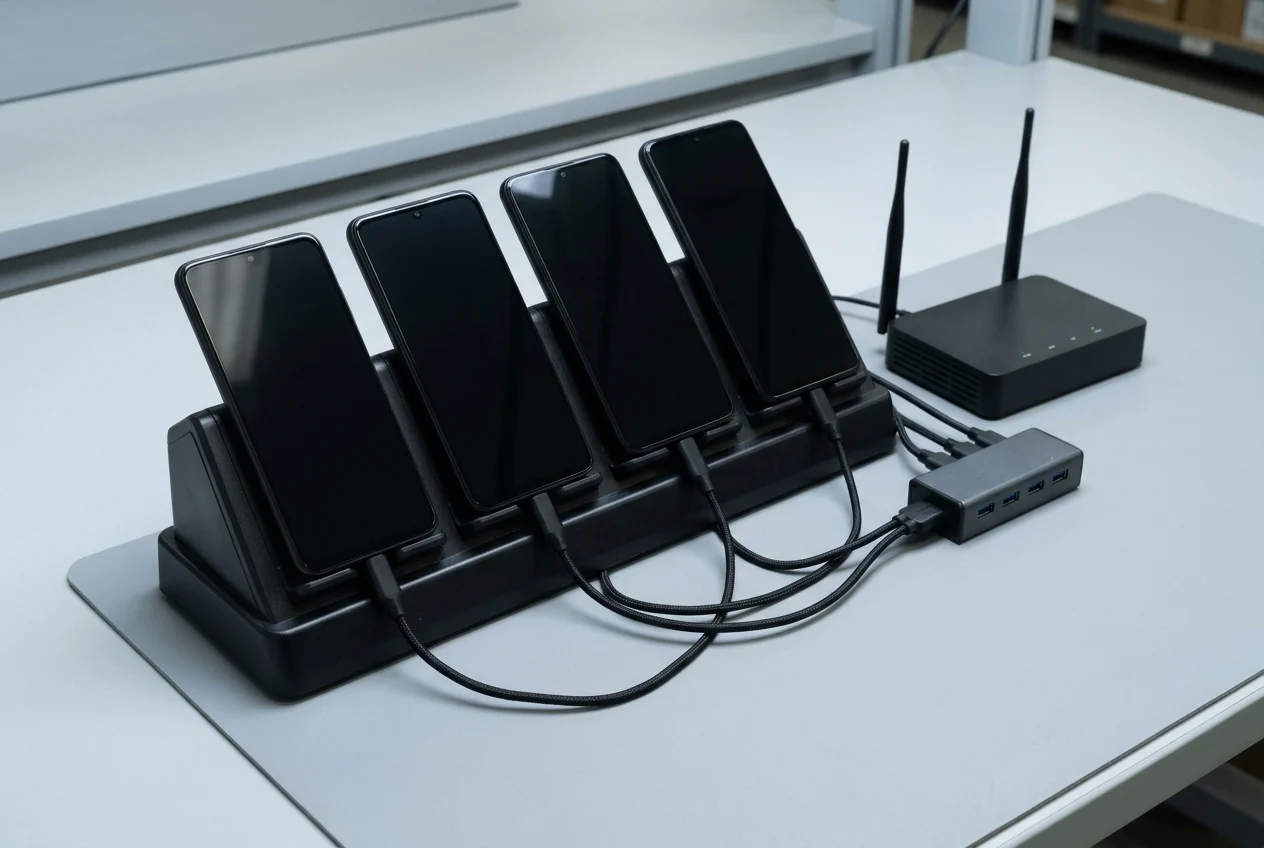
Pre-reset account removal on unlocked trade-in handsets
To turn off device protection on an Android device, the user must remove their Google Account from the device. On devices with Android 14 or older that have Developer options turned on, device protection can also be turned off in the Settings app by tapping System, Developer options, and OEM unlocking, entering the PIN, and tapping Enable.
On a Google Pixel phone, the Google Account username associated with the phone is listed in the Settings app under Passwords & accounts to the right of Google app. On Google Pixel phones, some documented factory reset steps work only on Android 8.0 and up. For trade-ins on all Google Pixel phones, Google states to use the factory reset option available in the Settings app under System > Reset options > Erase all data (factory reset). If a Google Pixel phone cannot be reset from the Settings app or its screen cannot be used, it can be reset manually with Fastboot mode using the phone’s buttons. For Google Pixel 4a and later (including Fold), using the Update and Software Repair tool requires a computer and a USB cord that can connect to the phone.
On a Samsung Galaxy phone or tablet with an encrypted microSD card, the card must be decrypted before resetting the device via Settings > Decrypt SD card, or the device will not be able to read the data on the card. On a Samsung Galaxy phone or tablet with a signed-in Samsung account, a network connection and the Samsung account password are required to log out of the Samsung account before completing the factory reset process.
Verizon support documentation for the Motorola Moto g 5G - 2024 states that Android Device Protection helps keep the moto g 5G safe, but should be turned off before resetting, trading, or selling it. For the Motorola Moto g 5G - 2024, Verizon states that Android Device Protection (Kill Switch) prevents unauthorized use by requiring the user’s Gmail address and password before the device can be set up if reset using the alternate reset method, whereas device protection is not enabled when a trusted reset is performed. On the Motorola Moto g 5G - 2024, device protection is automatically turned on if a Google (Gmail) account is on the smartphone, and turning off device protection requires removing all Google accounts from the device.
Post-reset online Setup Wizard verification and cooldown rules
Factory resets on Android are also called formatting or hard resets, and some of Google’s documented reset steps only work on Android 14 and up. On most Android phones, a user can reset the phone through the Settings app, or if the Settings app cannot be opened, try factory resetting using the power and volume buttons.
When erasing a protected Android device’s data using the Settings app, the user is asked to enter their screen lock before resetting. If a protected Android device is reset using its hardware buttons (Recovery mode), the user must enter their PIN, password, or pattern, or use the option to sign in with the Google Account that was on the device before the reset. On Samsung Galaxy devices, FRP is triggered when the device is reset using methods other than the Factory data reset option in Settings, and on devices running Android 9 and later, ownership may also be verified using the previously configured screen lock method (pattern, PIN, or password).
If a protected Android device is remotely reset using Find Hub, the user must enter a Google username and password associated with the device. To restore data after resetting an Android phone, the user must enter security info showing that they or someone they trust performed the reset. After a factory reset on a protected Android device, a user can sign in with any Google Account previously added and synced to the device as an account or user (not as a guest), and if they cannot give this information during setup, they will not be able to use the device at all.
An Android factory reset can take up to an hour, requires charging the phone to at least 70%, and requires connecting to Wi-Fi or a mobile network so the user can sign in to their Google Account when the reset completes. If a user recently reset their Google Account password, Google advises waiting 24 hours before performing a factory reset.
| Verification scenario | Published manufacturer or carrier rule | Receiving bench action |
|---|---|---|
| Account removal before reset | To turn off device protection on an Android device, the user must remove their Google Account from the device. | Clear registered Google Accounts prior to wipe |
| Developer OEM unlocking scope | On devices with Android 14 or older that have Developer options turned on, device protection can also be turned off in the Settings app by tapping System, Developer options, and OEM unlocking, entering the PIN, and tapping Enable. | Check Android version before using OEM unlocking |
| Settings menu trusted reset | When erasing a protected Android device’s data using the Settings app, the user is asked to enter their screen lock before resetting. | Verify screen lock prompt during Settings reset |
| Recovery button untrusted reset | If a protected Android device is reset using its hardware buttons (Recovery mode), the user must enter their PIN, password, or pattern, or use the option to sign in with the Google Account that was on the device before the reset. | Advance past Wi-Fi to check for credential prompt |
| Find Hub remote wipe | If a protected Android device is remotely reset using Find Hub, the user must enter a Google username and password associated with the device. | Screen remotely wiped units over Wi-Fi |
| Synced account requirement | After a factory reset on a protected Android device, a user can sign in with any Google Account previously added and synced to the device as an account or user (not as a guest), and if they cannot give this information during setup, they will not be able to use the device at all. | Quarantine units demanding prior synced account |
| Password reset cooldown | If a user recently reset their Google Account password, Google advises waiting 24 hours before performing a factory reset. | Hold units after recent password changes |
| Charge and network baseline | An Android factory reset can take up to an hour, requires charging the phone to at least 70%, and requires connecting to Wi-Fi or a mobile network so the user can sign in to their Google Account when the reset completes. | Stage on charger and connect Wi-Fi before grading |
| Google Pixel trade-in path | For trade-ins on all Google Pixel phones, Google states to use the factory reset option available in the Settings app under System > Reset options > Erase all data (factory reset). | Use Settings reset path on unlocked Pixel lots |
| Samsung account logout rule | On a Samsung Galaxy phone or tablet with a signed-in Samsung account, a network connection and the Samsung account password are required to log out of the Samsung account before completing the factory reset process. | Connect network to sign out of Samsung account |
| Samsung Galaxy FRP trigger | On Samsung Galaxy devices, FRP is triggered when the device is reset using methods other than the Factory data reset option in Settings, and on devices running Android 9 and later, ownership may also be verified using the previously configured screen lock method (pattern, PIN, or password). | Test post-reset Setup Wizard on Galaxy units |
| Motorola pre-trade removal | Verizon support documentation for the Motorola Moto g 5G - 2024 states that Android Device Protection helps keep the moto g 5G safe, but should be turned off before resetting, trading, or selling it. | Remove Google accounts before resetting trade-ins |
How does enterprise FactoryResetProtectionPolicy change Settings-menu resets?
Distinguish consumer FRP behavior from enterprise Device Policy Controller and Samsung Knox Manage policies when inspecting corporate or off-lease Android lots.
Android Enterprise DPC policy and organization-owned work profiles
Using enterprise factory reset protection, organizations can specify which Google Accounts can provision a device that has been factory reset, whereas after an unauthorized factory reset the setup wizard requires authenticating against any Google Accounts previously on the personal profile of the device. Android Developers enterprise security documentation states that factory reset protection is disabled if OEM unlocking is enabled in Developer Options.
In Android API reference, FactoryResetProtectionPolicy determines which accounts can unlock a device that has gone through an untrusted factory reset, and only a device owner or profile owner of an organization-owned device can set it via DevicePolicyManager.setFactoryResetProtectionPolicy. Normally factory reset protection does not kick in if the device is factory reset via Settings, but when a profile owner of an organization-owned device sets a factory reset protection policy locking the device to specific accounts, the policy takes effect even if factory reset is performed from Settings.
When running in device owner mode, a Device Policy Controller (DPC) can use setFactoryResetProtectionPolicy() to control which accounts are authorized to provision a device after a factory reset, and if set to null or an empty list, the authorized accounts revert to the accounts on the personal profile of the device. In FactoryResetProtectionPolicy.Builder.setFactoryResetProtectionAccounts, once set, the consumer unlock flow is disabled and only accounts in the configured list can unlock factory reset protection after an untrusted factory reset. In FactoryResetProtectionPolicy.Builder.setFactoryResetProtectionEnabled, factory reset protection is enabled by default, and once disabled it will not kick in at all when the device goes through an untrusted factory reset for either the consumer unlock flow or admin account overrides.
In the Google People API people.get response for enterprise FRP configuration, the userID is returned in the resourceName key in the form people/[userId] as an integer string, and newly-created accounts might not be available for factory reset purposes for 72 hours. A Device Policy Controller (DPC) enables the accounts that can provision devices after a factory reset by sending the broadcast com.google.android.gms.auth.FRP_CONFIG_CHANGED as an explicit intent to prevent it from being dropped due to background restrictions. For legacy Android devices that cannot use setFactoryResetProtectionPolicy() (introduced with API Level 30), a DPC can use setApplicationRestrictions to add chosen accounts to the factoryResetProtectionAdmin managed configuration for the com.google.android.gms package.
Samsung Knox Manage and Knox Mobile Enrollment rules
In Samsung Knox Manage, Factory Reset Protection only blocks factory resets initiated through the bootloader and does not prevent a user from performing a factory reset through the device’s settings. To generate a Google User ID for configuring Factory Reset Protection in Samsung Knox Manage, the administrator queries the Google Developers API with resourceName set to people/me and personFields set to metadata, then copies the id field from the response. Configuring the Factory Reset Protection policy in a Samsung Knox Manage Android Enterprise profile requires setting Factory Reset Protection to Allow, Google Account ID to the Google Account email, and Google User ID to the copied Google User ID.
In Samsung Knox Manage, for fully managed devices only factory reset actions performed using device commands from the Knox Manage console require account verification, whereas for company-owned devices with a work profile both device commands and device settings used for factory resets trigger account verification. In Samsung Knox Manage on Android 12 or later, the Factory reset device command performs a factory reset and changes the device status to Unenrolled, with sub-options to Initialize SD Card when factory reset, Deactivate Factory Reset Protection, and Disable factory reset protection. To align with Google’s updated policies, Samsung Knox Mobile Enrollment (release 25.11) does not support bypass of Factory Reset Protection (FRP) on devices running Android 15 or later.
| Enterprise policy control | Published Android Enterprise or Samsung Knox rule | Fleet intake verification note |
|---|---|---|
| Organization work-profile reset | Normally factory reset protection does not kick in if the device is factory reset via Settings, but when a profile owner of an organization-owned device sets a factory reset protection policy locking the device to specific accounts, the policy takes effect even if factory reset is performed from Settings. | Do not assume a Settings wipe clears work-profile units |
| Consumer unlock flow override | In FactoryResetProtectionPolicy.Builder.setFactoryResetProtectionAccounts, once set, the consumer unlock flow is disabled and only accounts in the configured list can unlock factory reset protection after an untrusted factory reset. | Requires enterprise admin account credentials |
| New admin account delay | In the Google People API people.get response for enterprise FRP configuration, the userID is returned in the resourceName key in the form people/[userId] as an integer string, and newly-created accounts might not be available for factory reset purposes for 72 hours. | Account for provisioning delay on new admin IDs |
| Knox Manage profile triggers | In Samsung Knox Manage, for fully managed devices only factory reset actions performed using device commands from the Knox Manage console require account verification, whereas for company-owned devices with a work profile both device commands and device settings used for factory resets trigger account verification. | Verify Setup Wizard after Settings reset on corporate lots |
| Knox Manage unenrollment command | In Samsung Knox Manage on Android 12 or later, the Factory reset device command performs a factory reset and changes the device status to Unenrolled, with sub-options to Initialize SD Card when factory reset, Deactivate Factory Reset Protection, and Disable factory reset protection. | Request EMM unenrollment with FRP deactivation before shipment |
| Knox Mobile Enrollment policy | To align with Google’s updated policies, Samsung Knox Mobile Enrollment (release 25.11) does not support bypass of Factory Reset Protection (FRP) on devices running Android 15 or later. | Verify FRP clearance directly on Android 15+ units |
How do you separate FRP lock quarantine from blacklist, Knox Guard, and cosmetic grading?
Log the on-device Setup Wizard result as its own intake column and isolate locked units in the Red Tote before assigning cosmetic grades. Pair this triage step with the wholesale phone intake and diagnostic workflow, the used-phone grading guide, the IMEI blacklist and carrier restriction guide, and the Samsung Knox Guard and CSC verification guide.
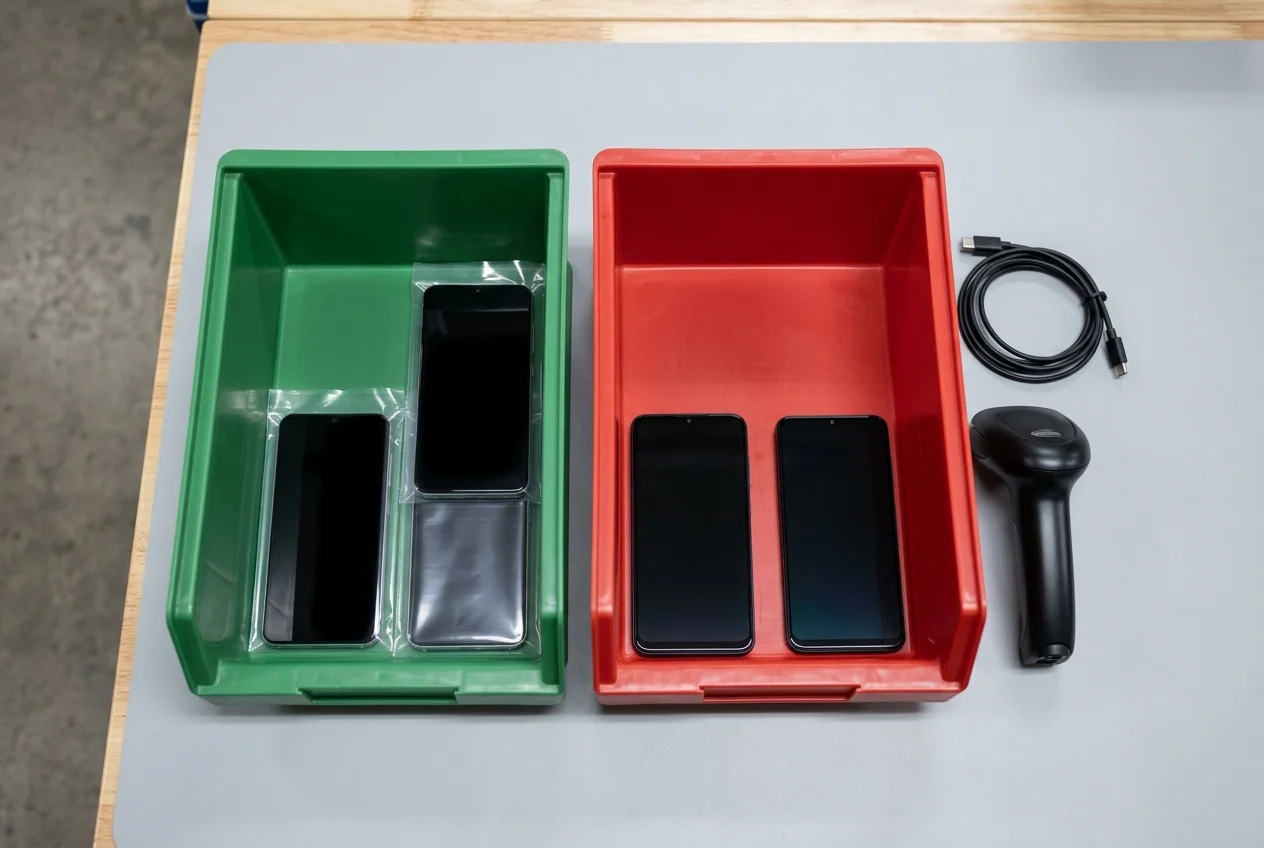
In Kondor Phone’s wholesale intake workflow, operators confirm account locks on the device by recording Activation Lock or Factory Reset Protection as unlocked, locked, or pending along with the device setup observation and checker/date. In Kondor Phone’s intake workflow, verified handsets are sorted into colour-coded antistatic totes, where Green Tote (Ready for Resale) holds units that passed every step and Red Tote (Supplier RMA / Quarantine) holds board faults, locked or flagged devices, or liquid-damaged units staged for vendor return with their per-IMEI records.
In Kondor Phone’s used-phone grading guide, a grade is treated as the seller’s defined cosmetic code while sale condition, functional results, battery readings, and lock status (recording blacklist and account-lock results separately, or pending) are recorded separately, keeping any missing definition or test unresolved. In Kondor Phone’s IMEI check guide, GSMA Device Check returns NO - not flagged on GSMA Block List (shown as Green) or YES - flagged on GSMA Block List (shown as Red), and a negative GSMA block-list response does not establish the absence of an AT&T active installment restriction. In Kondor Phone’s Samsung wholesale verification guide, Knox Guard state, the warranty-bit fuse (0x0 or 0x1), and the sales code or CSC are recorded as three different results before grading, and a factory reset is not the Complete state for Knox Guard.
| Receiving verification layer | Published Kondor Phone intake rule | Triage and quarantine disposition |
|---|---|---|
| On-device FRP status record | In Kondor Phone’s wholesale intake workflow, operators confirm account locks on the device by recording Activation Lock or Factory Reset Protection as unlocked, locked, or pending along with the device setup observation and checker/date. | Never record unlocked without on-device verification |
| Antistatic tote disposition | In Kondor Phone’s intake workflow, verified handsets are sorted into colour-coded antistatic totes, where Green Tote (Ready for Resale) holds units that passed every step and Red Tote (Supplier RMA / Quarantine) holds board faults, locked or flagged devices, or liquid-damaged units staged for vendor return with their per-IMEI records. | Place FRP-locked units in Red Tote quarantine |
| Cosmetic grade separation | In Kondor Phone’s used-phone grading guide, a grade is treated as the seller’s defined cosmetic code while sale condition, functional results, battery readings, and lock status (recording blacklist and account-lock results separately, or pending) are recorded separately, keeping any missing definition or test unresolved. | Do not assign cosmetic grades to unresolved locks |
| GSMA Block List distinction | In Kondor Phone’s IMEI check guide, GSMA Device Check returns NO - not flagged on GSMA Block List (shown as Green) or YES - flagged on GSMA Block List (shown as Red), and a negative GSMA block-list response does not establish the absence of an AT&T active installment restriction. | Log blacklist and account locks in separate columns |
| Samsung Knox Guard separation | In Kondor Phone’s Samsung wholesale verification guide, Knox Guard state, the warranty-bit fuse (0x0 or 0x1), and the sales code or CSC are recorded as three different results before grading, and a factory reset is not the Complete state for Knox Guard. | Check Knox Guard and warranty fuse separately from FRP |
Copy a pre-grading Android FRP verification checklist
Use this receiving worksheet to record pre-reset account checks, online Setup Wizard verification, and Red Tote quarantine disposition for every Android handset before cosmetic grading. Browse the wholesale phone guides for companion intake and lot-inspection templates.
| Intake step | Receiving bench verification action |
|---|---|
| Manifest and serial scan | Match the handset serial and IMEI against the shipping manifest before connecting charging cables |
| Pre-reset account check | Inspect the accounts menu on unlocked units to remove registered Google Accounts, sign out of Samsung accounts, and decrypt microSD storage before running a Settings reset |
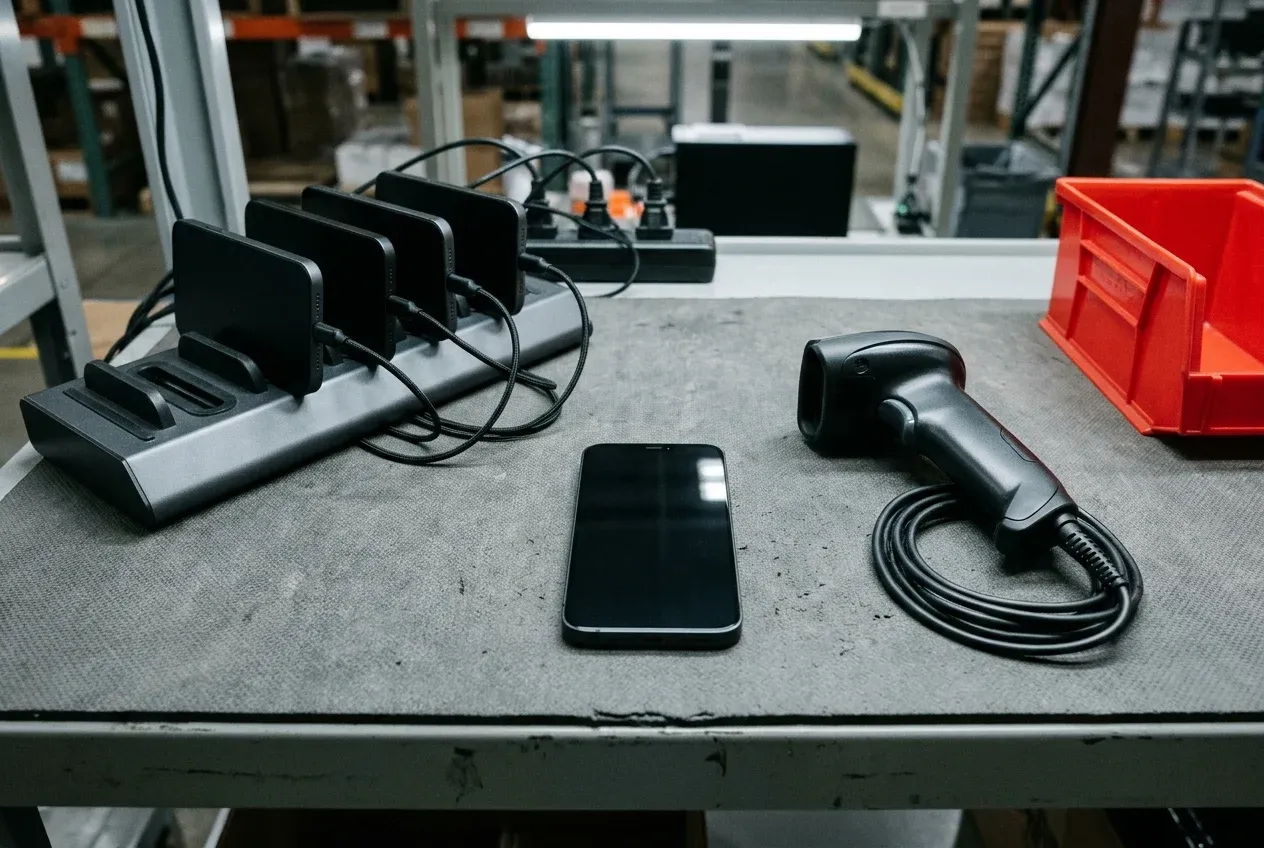
| Power and Wi-Fi staging | Charge the handset on the intake rack and connect to local Wi-Fi or mobile network coverage so the Setup Wizard can query cloud account state |
| Setup Wizard walkthrough | Advance past the network step and record whether the screen demands a prior PIN, pattern, password, synced Google Account, or enterprise admin account |
| Per-IMEI status and tote routing | Log the FRP field as unlocked, locked, or pending with checker and date, and move locked units into the Red Tote for supplier RMA |
Sources
- Google Android Help — Help prevent others from using your device without permission
- Google Android Help — Reset your Android device to factory settings
- Google Pixel Phone Help — How to factory reset your Google Pixel phone
- Samsung US Support — Perform a factory reset on your Galaxy phone or tablet
- Samsung Knox Documentation — Configure Factory Reset Protection in Knox Manage
- Samsung Knox Documentation — Send device commands in Knox Manage
- Samsung Knox Documentation — Knox Mobile Enrollment Release Notes
- Verizon Support — Turn Android Device Protection On or Off
- Android Developers — Security for enterprise Device Policy Controller
- Android Developers API Reference — FactoryResetProtectionPolicy and Builder
- Android Open Source Project — PersistentDataBlockManager and Compatibility Definition Document
- Kondor Phone — Wholesale Phone Intake and Diagnostic Guides
Frequently asked questions
What happens if a user cannot provide the synced Google Account during post-reset setup?
If a protected Android device is reset using its hardware buttons (Recovery mode), the user must enter their PIN, password, or pattern, or use the option to sign in with the Google Account that was on the device before the reset. After a factory reset on a protected Android device, a user can sign in with any Google Account previously added and synced to the device as an account or user (not as a guest), and if they cannot give this information during setup, they will not be able to use the device at all.
Why does a factory reset from Settings still trigger FRP on some enterprise Android phones?
Normally factory reset protection does not kick in if the device is factory reset via Settings, but when a profile owner of an organization-owned device sets a factory reset protection policy locking the device to specific accounts, the policy takes effect even if factory reset is performed from Settings. In Samsung Knox Manage, for fully managed devices only factory reset actions performed using device commands from the Knox Manage console require account verification, whereas for company-owned devices with a work profile both device commands and device settings used for factory resets trigger account verification.
How long must you wait after a Google Account password reset or new enterprise account creation before resetting?
If a user recently reset their Google Account password, Google advises waiting 24 hours before performing a factory reset. In the Google People API people.get response for enterprise FRP configuration, the userID is returned in the resourceName key in the form people/[userId] as an integer string, and newly-created accounts might not be available for factory reset purposes for 72 hours.
How do Developer options OEM unlocking and Knox Mobile Enrollment FRP rules apply across Android releases?
On devices with Android 14 or older that have Developer options turned on, device protection can also be turned off in the Settings app by tapping System, Developer options, and OEM unlocking, entering the PIN, and tapping Enable. To align with Google's updated policies, Samsung Knox Mobile Enrollment (release 25.11) does not support bypass of Factory Reset Protection (FRP) on devices running Android 15 or later.